
Sub-capacity licensing lets you pay for only the cores your IBM software can use, not the whole server. IBM’s own example: WebSphere on 8 of 16 cores costs $16,800 against $33,600 at full capacity (illustrative figures at 70 PVUs per core and $30 per PVU). That saving is conditional, and in an audit the burden is on you to prove the conditions were met.
What IBM requires
- An approved tool. ILMT, HCL BigFix Inventory, or IBM’s pre-approved Flexera One products where they support your virtualization technology. IBM stopped accepting exceptions to this on May 1, 2023.
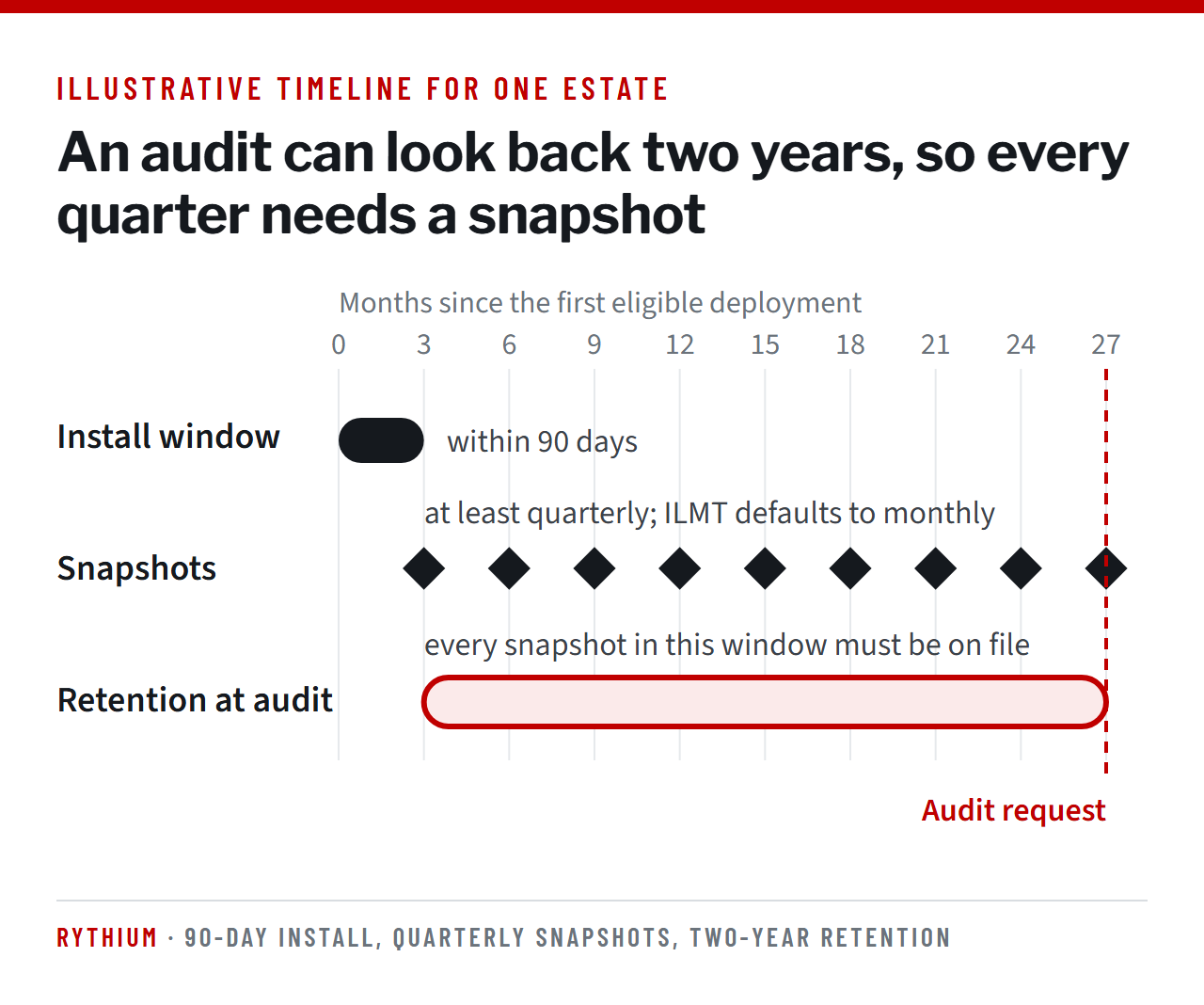
- Timing. New sub-capacity customers must implement ILMT within 90 days of the first eligible deployment.
- Reporting. Reports at least quarterly, kept for two years and provided to IBM or its auditors on request.
- Currency. ILMT is updated quarterly, and IBM says you must keep it current.
- Peak counting. IBM counts the high-water mark. There is no averaging and no grace period.
If the conditions are not met, the affected programs are licensed at full capacity.
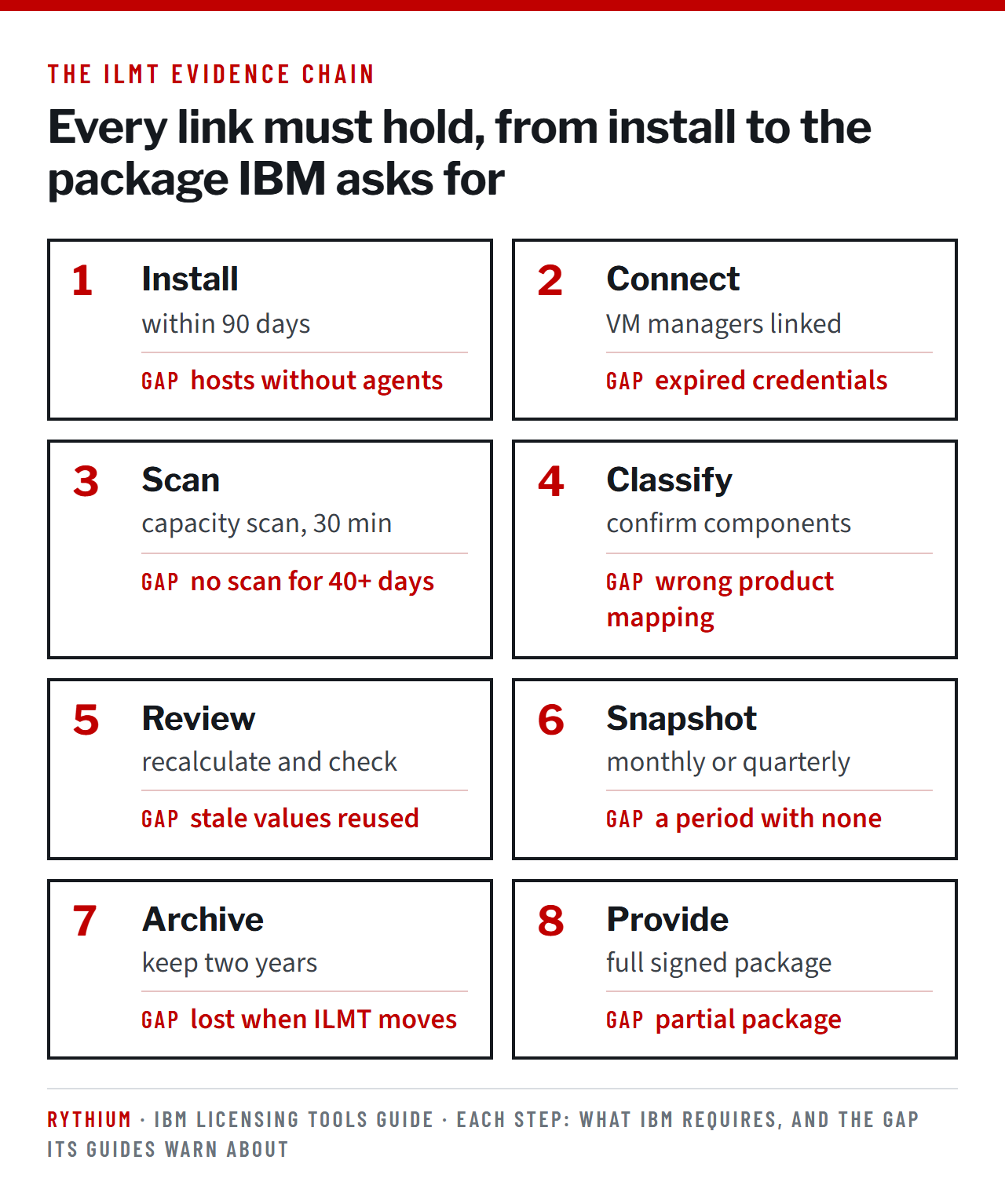
The five checks
- Coverage. A scanner must run on every machine with IBM software you want counted, including non-production. Compare the ILMT computer list with your hypervisor inventory or CMDB to find gaps.
- VM manager connections. Without them, ILMT falls back to default counting: it counts each VM’s cores at 120 PVUs per core and cannot cap the count at the host’s physical capacity. IBM still accepts a report calculated this way. In IBM’s own example (a 16-core host with VMs of 12 and 10 cores, IBM MQ on both, $50 per PVU), that raises the bill from $56,000 to $132,000 (see the figure below). Check the VM Managers panel for failed connections and expired credentials. An outdated status that stays unresolved for 30 days (the default) becomes “No VM Manager Data”.
- Scan health. Capacity scans run every 30 minutes and software scans weekly by default. ILMT flags a computer as “Missing Scan” when its last successful software scan is over 40 days old (defaults for ILMT 9.2.x; check your version).
- Software classification. ILMT’s automatic mapping must be reviewed. Import your entitled part numbers, assign bundled and supporting programs correctly, map Cloud Pak components, and comment every exclusion.
- Audit snapshots and archive. Generate a signed snapshot from the All Metrics or PVU Sub-Capacity report. Quarterly is the maximum interval; ILMT defaults to monthly. Keep each snapshot for two years, supply it in full, and store it somewhere other than the ILMT server.
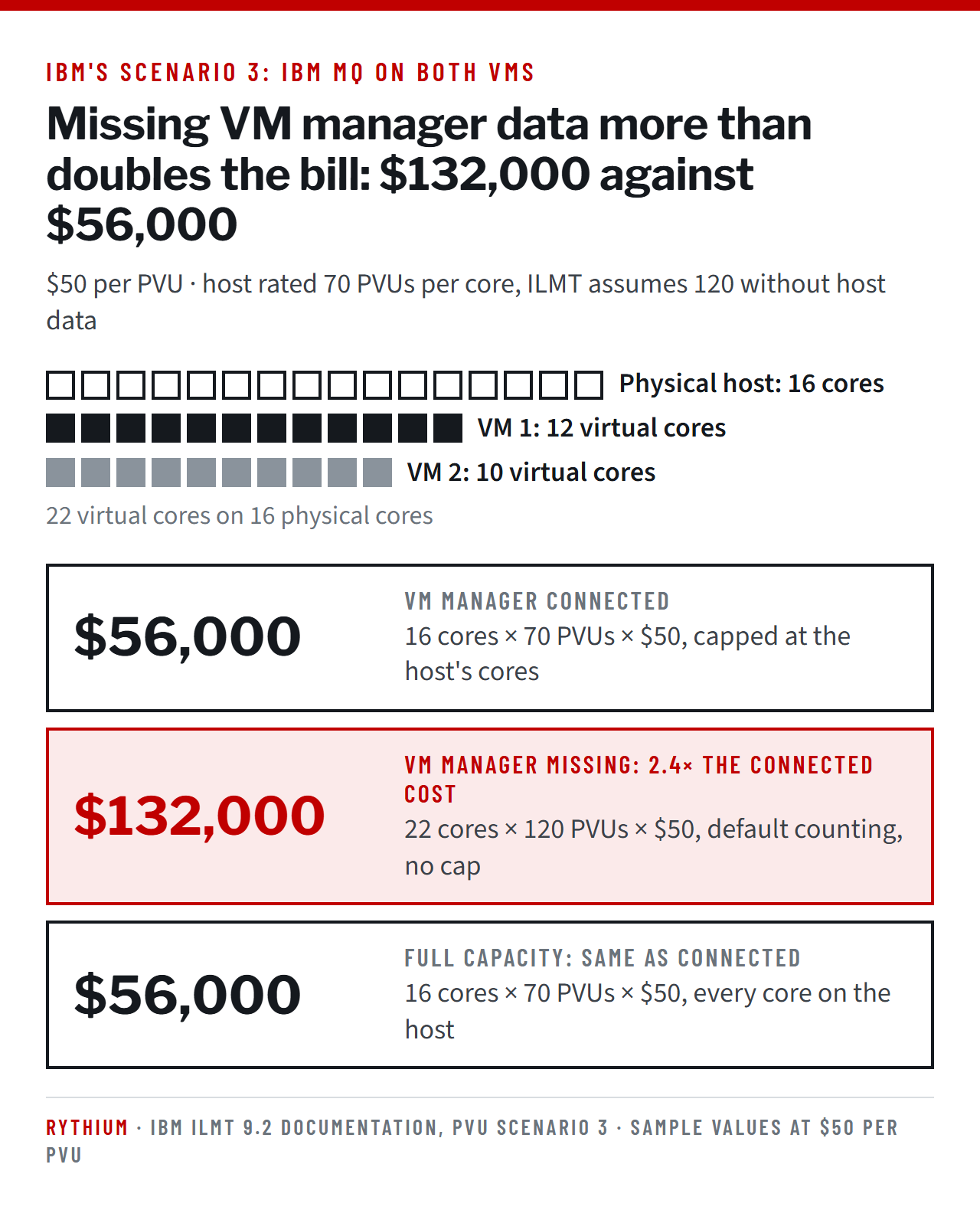
The figure reproduces IBM’s Scenario 3: a 16-core host with two VMs of 12 and 10 virtual cores, both running IBM MQ. Together the VMs have 22 virtual cores, more than the host’s 16 physical cores.
- VM manager connected. ILMT knows the host, so it uses the processor’s real rating (70 PVUs per core) and caps the count at the host’s 16 physical cores: 16 × 70 = 1,120 PVUs, or $56,000.
- VM manager missing. ILMT sees only the processor model and each VM’s virtual cores. It cannot cap the count, so it counts all 22 cores, and it assumes the highest rating for that processor, 120 PVUs per core: 22 × 120 = 2,640 PVUs, or $132,000. IBM says it accepts audit reports calculated this way rather than treating the client as ineligible for sub-capacity.
- Full capacity. The product is licensed on every core of the physical host: 16 × 70 = 1,120 PVUs, or $56,000. IBM’s table shows this figure in its full-capacity column.
In this example full capacity and capped sub-capacity cost the same, because the VMs together have more cores than the host. IBM’s documentation says you acquire licenses for the lower of the sub-capacity and full-capacity values. The 70 and 120 PVU ratings and the $50 price are IBM’s sample values for a two-socket Xeon 3400 server; your rating depends on your processor model.
Newer rules to know
- Containers. IBM License Service is the only accepted tool, with quarterly snapshots kept for two years. Hybrid estates need both ILMT and License Service.
- Public cloud. Flag machines so ILMT applies 70 PVUs per vCPU. Otherwise it applies 120.
Stay audit-ready
| When | What |
|---|---|
| Weekly | Check scan health widgets, VM manager status and import history |
| Monthly | Generate and review the report and an audit snapshot |
| Quarterly | Sign off, archive, update ILMT, reconcile agents against inventory |
| On change | Add agents for new hosts; archive snapshots before decommissioning a server, cluster or ILMT instance |
Name one owner for the process. IBM’s FAQ is clear that you can delegate the work but not the responsibility.
Facing an IBM audit notice, or cleaning up an aging ILMT deployment? Fixing gaps before a notice arrives is far cheaper than defending them afterwards. Contact our team to review your ILMT evidence trail.
General information, not legal advice. Your IPAA or IPAEA, product License Information documents and any enterprise agreement govern your terms.
Sources: IBM’s published terms, guides and ILMT documentation, including IBM Passport Advantage sub-capacity licensing, IBM’s counting rules for virtualization technologies, the IBM Licensing Tools guide and the IBM License Metric Tool 9.2 documentation (PVU Scenario 3).

Anil Nahata
Co-founder of Rythium Technologies and its designated partner since 2015. Anil co-leads Rythium’s practice, bringing deep software asset management and commercial negotiation experience across Oracle, Microsoft and the wider publisher landscape.
Before Rythium, Vice President heading the telecom towers infrastructure business at Reliance Communications, and its group Chief Procurement Officer. More than two decades across the telecom, software and financial industries.
See more of our analysis in Google: add Rythium as a preferred source