
The short answer: You are compliant with Oracle when every Oracle program installed or running in your company is covered by a licence you own, on the right metric and within the limits of your contract. Most companies are not, and few of them know it until Oracle asks. The gaps rarely come from decisions anyone made. They come from everyday changes, such as a new server, a moved virtual machine or a feature switched on by default.
This guide explains what Oracle compliance means in practice, where the gaps hide, what they cost, and how to find them before Oracle does.
In short
- Compliance means what you run is covered by what you own, counted by Oracle’s rules and your contract.
- The costly gaps are options and packs in use, VMware clusters, standby and test servers, cloud instances, user minimums and Oracle Java.
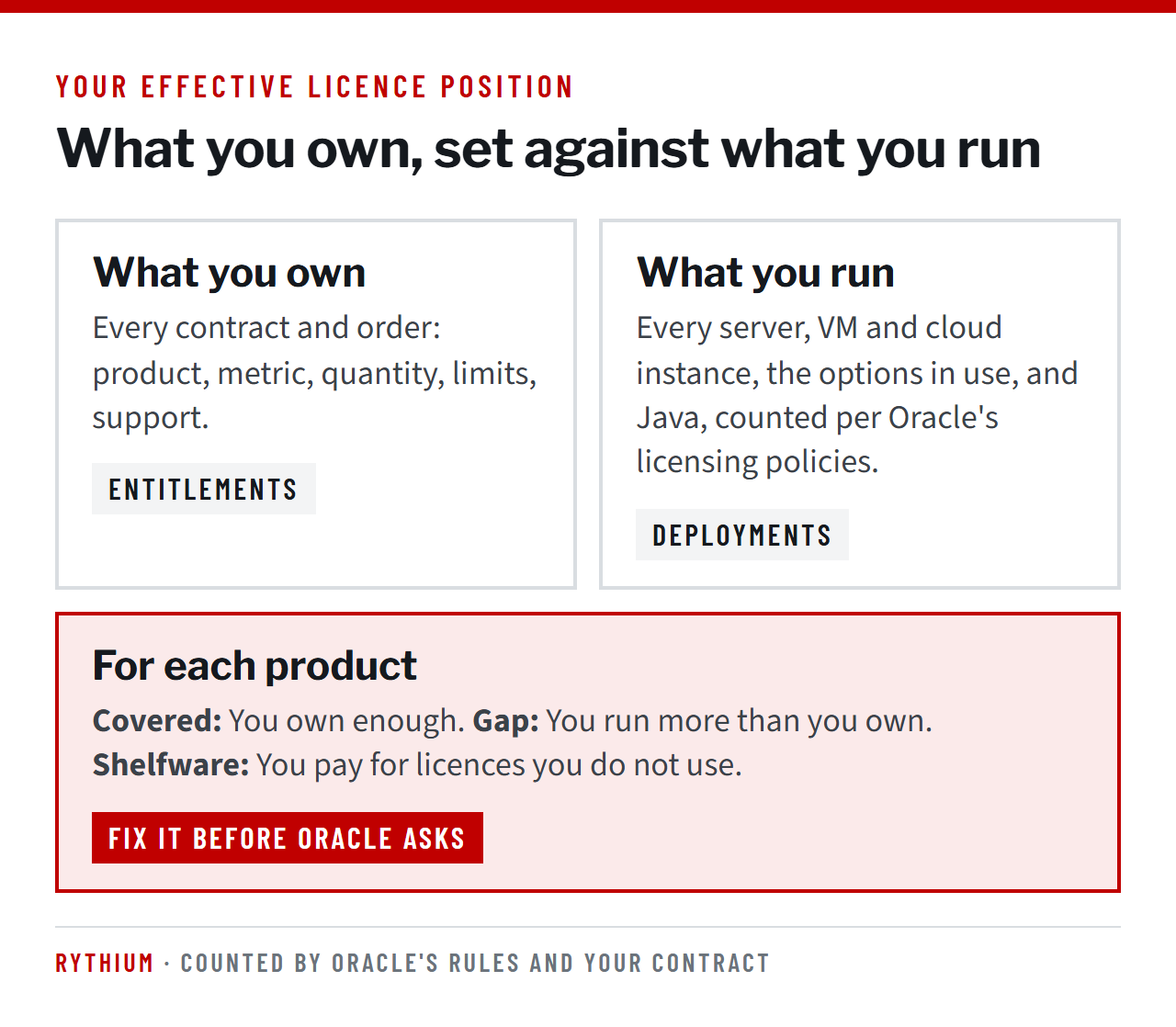
- Your position comes from comparing every contract with every installation. That comparison is called your effective licence position.
- A gap found by Oracle usually costs the missing licences plus back support for the time you used them. A gap you find first can often be removed instead of bought.
- Staying compliant takes an owner, a contract register and a licence check on every change.
What Oracle compliance actually means
Two sets of documents decide it. Your contract (the master agreement plus every ordering document) sets what you own and any limits, such as use with one application or by one company in your group. Oracle’s published policies on virtualisation, the cloud and disaster recovery explain how Oracle counts.
The difference matters. Oracle’s policy documents say they are “for educational purposes only” and “may not be incorporated into any contract”. You are measured against your contract, yet an audit report starts from Oracle’s policies. Knowing where the two differ is often worth more than any discount.
Why compliance drifts
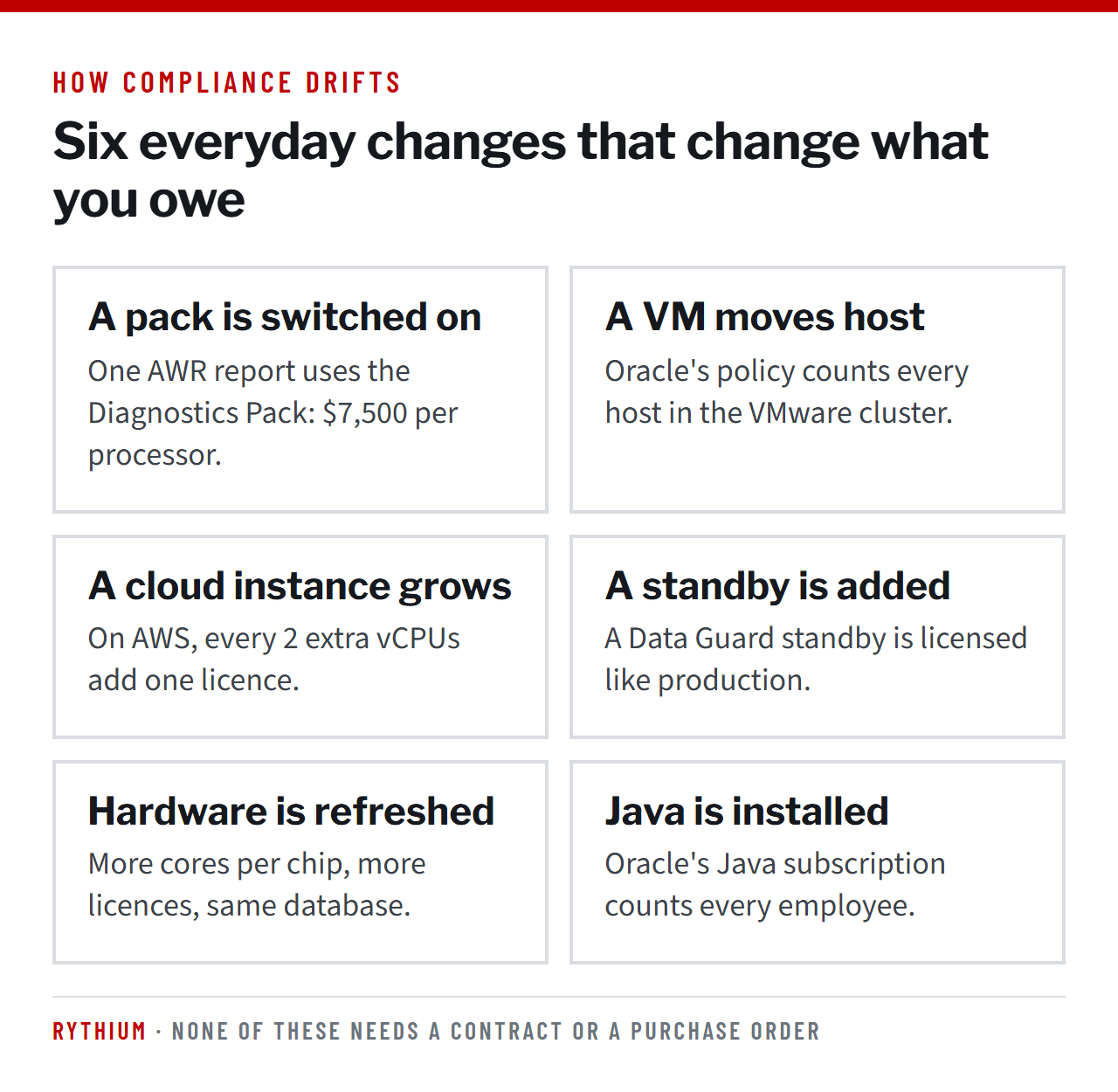
Oracle software does not stop you from using what you have not bought. Enterprise Edition installs with every option available. Nobody signs a purchase order when a database administrator runs a performance report or a virtual machine moves to a new host. Each of these changes what you owe.
The gaps that cost the most
Options and management packs
Options such as Partitioning ($11,500 per processor) and Real Application Clusters ($23,000) are licensed on every processor of every server where they are used. The Diagnostics Pack ($7,500) is switched on by default in Enterprise Edition, and running a routine AWR report uses it. The database keeps a record of every feature used, in a view called DBA_FEATURE_USAGE_STATISTICS, and it is the first thing Oracle’s audit scripts read.
VMware and other soft partitioning
Oracle’s Partitioning Policy asks for every core of every host an Oracle virtual machine could move to. A database on one small virtual machine in a 30-host cluster can turn into a claim for all 30 hosts.
Standby, test and disaster recovery servers
A server where Oracle is installed or running needs a licence, even if nobody logs into it. The only free cases are one failover node in a shared-storage cluster for ten days a year, and short backup restore tests. Our guide to disaster recovery licensing covers the details.
Public cloud
On AWS, Azure and Google Cloud, two vCPUs count as one processor licence, so the same cores need twice what they needed on your own servers. A cloud migration sized with the old numbers is under-licensed from the first day.
Named User Plus minimums and front-end counting
Named User Plus has a floor of 25 users per processor for Enterprise Edition, however few people use the system. Users who reach the database through an application or web server are counted at the front end, so 2,000 portal users are 2,000 named users, not the 20 connections the database sees.
Restricted licences
Some licences may only be used with one named application, such as Application Specific Full Use or Embedded licences. Reusing that database for a second application is a gap.
Oracle Java
Oracle sells Java by employee count, for the whole company. A handful of installations can create a claim priced on every employee. Our Java licence assessment explains how to find and remove it.
What a gap costs
Here is a typical example. An audit finds 8 Enterprise Edition processors in use without licences, for the last two years.
- Licences: 8 × $47,500 = $380,000 at list price.
- Back support: 8 × $10,450 × 2 years = $167,200, if Oracle charges support for the period of unlicensed use, as it usually does.
- Total first claim: $547,200, before any negotiation.
The same gap found by you is a different problem. You might remove the software, move the virtual machine into a dedicated cluster, or switch off an option, and owe nothing at all. Or you buy what remains as a normal purchase, at a negotiated price.
In Rythium’s audit work since 2016, Oracle’s licence claims after an audit have ranged from $500,000 to $120 million. We have not found one audited Oracle customer with a fully compliant deployment, and Oracle’s reports contain mistakes, so every claim deserves a line-by-line check.
Rythium audit defense practice
How to measure your position
- Collect your contracts. Every master agreement, order and amendment, including those of companies you acquired. Note the product, metric, quantity, limits and support status of each licence.
- Find every installation. Every server, virtual machine, container host and cloud instance with Oracle software, with its cores, chip and virtualisation details.
- Check what is used. Feature usage on each database, management pack settings, middleware editions and Oracle Java.
- Count by the rules. Apply the core factor, the cloud rules and the user minimums. Count your VMware position under Oracle’s policy too, so you know the number an audit would start from.
- Compare product by product. Covered, gap or shelfware, with the reason and the figure.
Our step-by-step guide to running an Oracle self-audit covers each step. Use your own tools for it, not Oracle’s audit scripts.
How to stay compliant
- Name one owner for Oracle licensing and for every conversation with Oracle, in writing.
- Keep a contract register with every entitlement, renewal date and ULA end date in one place.
- Check licences on every change. New servers, hardware refreshes, clusters, cloud instances, standby databases and Java installations are checked before they go live.
- Lock down defaults. Set CONTROL_MANAGEMENT_PACK_ACCESS to NONE where the packs are not licensed.
- Keep Oracle in dedicated clusters, with records showing where its virtual machines can run.
- Review every year, and before every renewal, ULA end date or migration.
If you do not have the team, a managed SAM service runs this for you.
Questions people ask about Oracle compliance
What is Oracle licence compliance?
Owning enough Oracle licences, on the right metric and within your contract’s limits, for every Oracle program installed or running in your company, counted by Oracle’s rules and your contract.
How do I check whether we are compliant?
Compare every contract with every installation, including options, packs, virtual machines, cloud instances and Java, and count by Oracle’s rules. Do it with your own tools before Oracle asks.
What happens if we are not compliant?
If Oracle finds the gap in an audit, it usually asks you to buy the missing licences plus back support. Under its standard agreement, payment is due within 30 days of the final findings. Both the size of the gap and the price are negotiable.
Do we have to run Oracle’s audit scripts?
Your agreement obliges you to cooperate with an audit of your use of the programs. Agree the scope in writing and understand what each script collects before you run it. Run your own measurement first.
Is Oracle on VMware compliant?
It can be, but Oracle’s policy counts every host an Oracle virtual machine could move to. Dedicated, documented clusters keep the count to the hosts you intend.
What documents do we need to defend our position?
Every contract and order, proof of what each server runs and how it is virtualised, records of settings that disable unlicensed features, and a dated history of changes.
How often should we review compliance?
At least once a year, and before every renewal, ULA end date, hardware refresh and cloud migration.
The cheapest compliance gap is the one you find first. Book an hour with our Advisor on Call or talk to us about an independent Oracle licence review.
Sources: Oracle Technology Global Price List, 15 September 2026; Oracle Partitioning Policy (as of 14 February 2022); Licensing Oracle Software in the Cloud Computing Environment (in effect 4 September 2026); Licensing Data Recovery Environments (as of 15 December 2024); Oracle’s standard licence agreement audit clause.

Sheshagiri Anegondi
Managing Partner of Rythium Technologies. Seventeen years at Oracle, from 1998 to 2015, in leadership roles including Vice President Sales, after Compaq and Digital Equipment Corporation.
Author of “Licensing Oracle: The Reference Manual for Managing Oracle License Compliance & Procuring Oracle Software, Hardware, Cloud & Services” (Notion Press, 2021) (ISBN 10: 1639046887).